Total Recorder Editor
Record your voice or PC sound, clean up a recording, and save the audio you want to keep.
100% Free to UseAll Features Included
8.1.0 · 2.60 MB · Windows 64-bitSix Free Tools For Windows
Record a voice, convert a video, or turn photos into a story. Make it happen with free software for your PC.
100% Free to UseAll Features IncludedNo Payment. No Registration.
Windows 11 & 10 · 64-bit
One Job. The Right Tool.
Choose your task. Download the free app.
Record your voice or PC sound, clean up a recording, and save the audio you want to keep.
100% Free to UseAll Features Included
8.1.0 · 2.60 MB · Windows 64-bitGet the free Total Recorder Editor Pro download for recording, trimming and cleaning up audio on your Windows PC.
100% Free to UseAll Features Included
8.1.0 · 2.60 MB · Windows 64-bitPut your music and recordings in the format you need, or turn a video's soundtrack into an audio file.
100% Free to UseAll Features Included
8.2.0 · 2.18 MB · Windows 64-bitMake videos easier to play and share: choose a format, trim the parts you need, and convert on your PC.
100% Free to UseAll Features Included
8.2.0 · 2.18 MB · Windows 64-bitTurn your photos and a favorite soundtrack into a video story you can save and share.
100% Free to UseAll Features Included
8.1.0 · 4.31 MB · Windows 64-bitChoose an available video quality, then download and convert videos you own or have permission to save.
100% Free to UseAll Features Included
8.1.0 · 2.16 MB · Windows 64-bitLess Setup. More Creating.
A familiar three-step start, whichever tool you choose.
Download the free app for your task.
Open your recording, music, videos or photos.
Edit or convert, then save your finished file.
Start With Better Sound
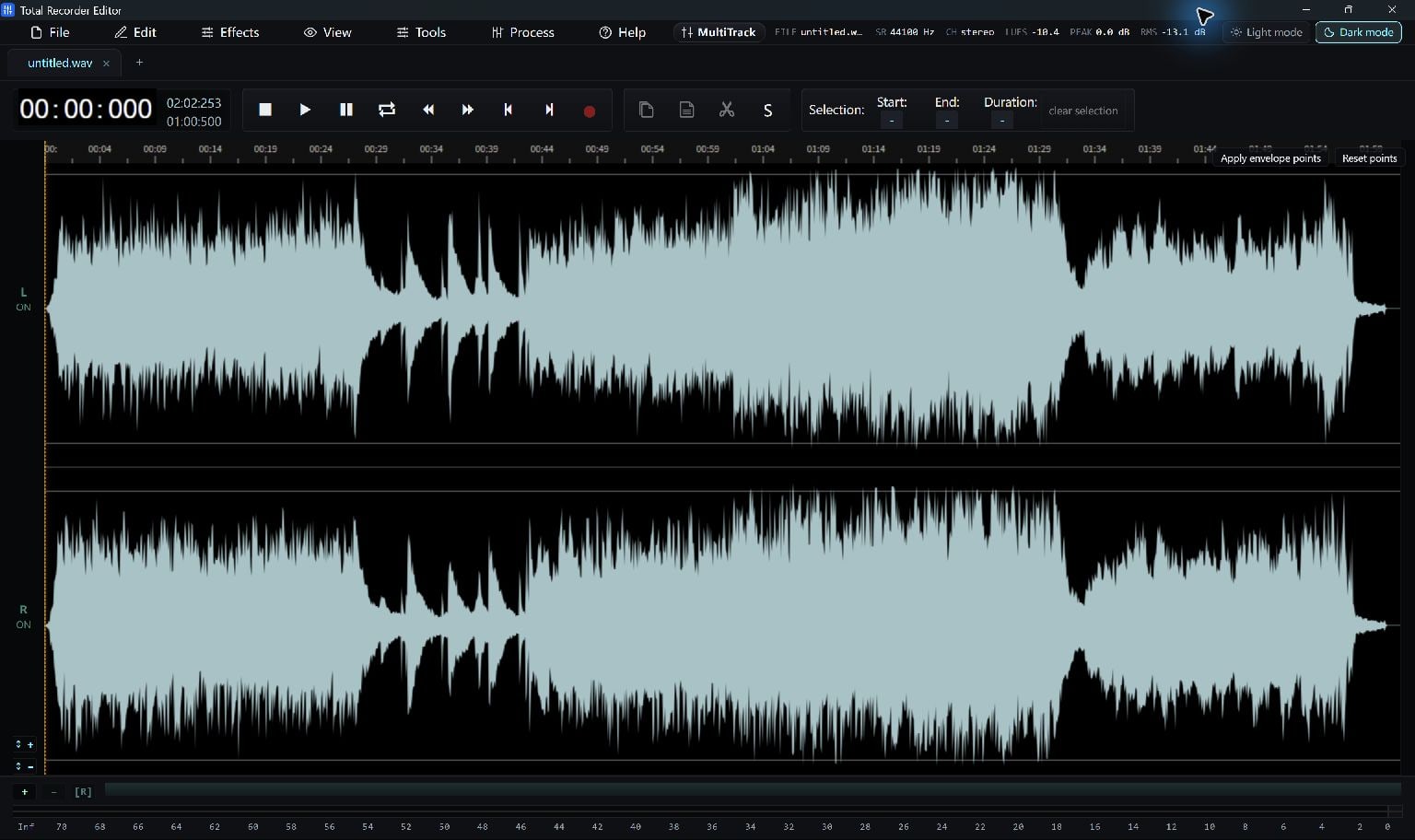
Record, trim and improve your audio in a visual editor.
Capture a microphone, system playback or both, with a live level meter.
Cut, copy and trim. Preview fades, noise reduction and EQ before saving.
Export supported formats such as MP3, WAV, FLAC and M4A, without purchase or registration.
An Answer For Your Next Task
Capture a voice, computer playback, or both.
Read The GuideKeep the part you want and save a new audio clip.
Read The GuideMake MP3 listening copies from your FLAC tracks.
Read The GuideChoose an MP4 output for your next video.
Read The GuideTurn photos and a soundtrack into an MP4 story.
Read The GuideSave a supported video you have permission to keep.
Read The GuideA Few Helpful Answers
Yes. All six Total apps are 100% free to use, including Total Recorder Editor and Total Recorder Editor Pro. All features in the current versions are included. No payment or registration is required.
Choose Recorder Editor for recording and audio editing; Audio Converter for music formats; Video Converter for video formats; Slideshow Maker for photos with music; or YouTube Downloader for supported online videos you have permission to save.
The current Recorder Editor and Recorder Editor Pro use the same free editor and offer the same supported editing and export capabilities. Pick either name; there is no paid upgrade to unlock.
Yes. All six are made for 64-bit Windows 11 and Windows 10. Check each download page for its minimum Windows version and any Microsoft runtime requirements.
You choose a folder on your PC. Audio editing, local file conversion and slideshow creation work with local files. Online downloading and missing components need an internet connection.
Yes. Each product page includes new screenshots of the current Total application, a short getting-started guide, file details and answers to common questions.
Start with the free audio editor, or choose another tool for your next project.
Download Free100% Free to UseAll Features IncludedNo Payment. No Registration.
Windows 11 & 10 · 64-bit