Total Free Slideshow Maker Free Full Version
Free Slideshow Maker With Music
Turn your photos and a favorite soundtrack into a video story you can save and share.
- Photos And Music Together
- Smooth Transitions And Gentle Motion
- Landscape, Portrait Or Square
- Export A Shareable MP4
- Free Windows Download
100% Free to UseAll Features IncludedNo Payment. No Registration.
Version 8.1.0 · 4.31 MB · Windows 11 & 10, 64-bit
Make Something Worth Keeping
Easy From The First File
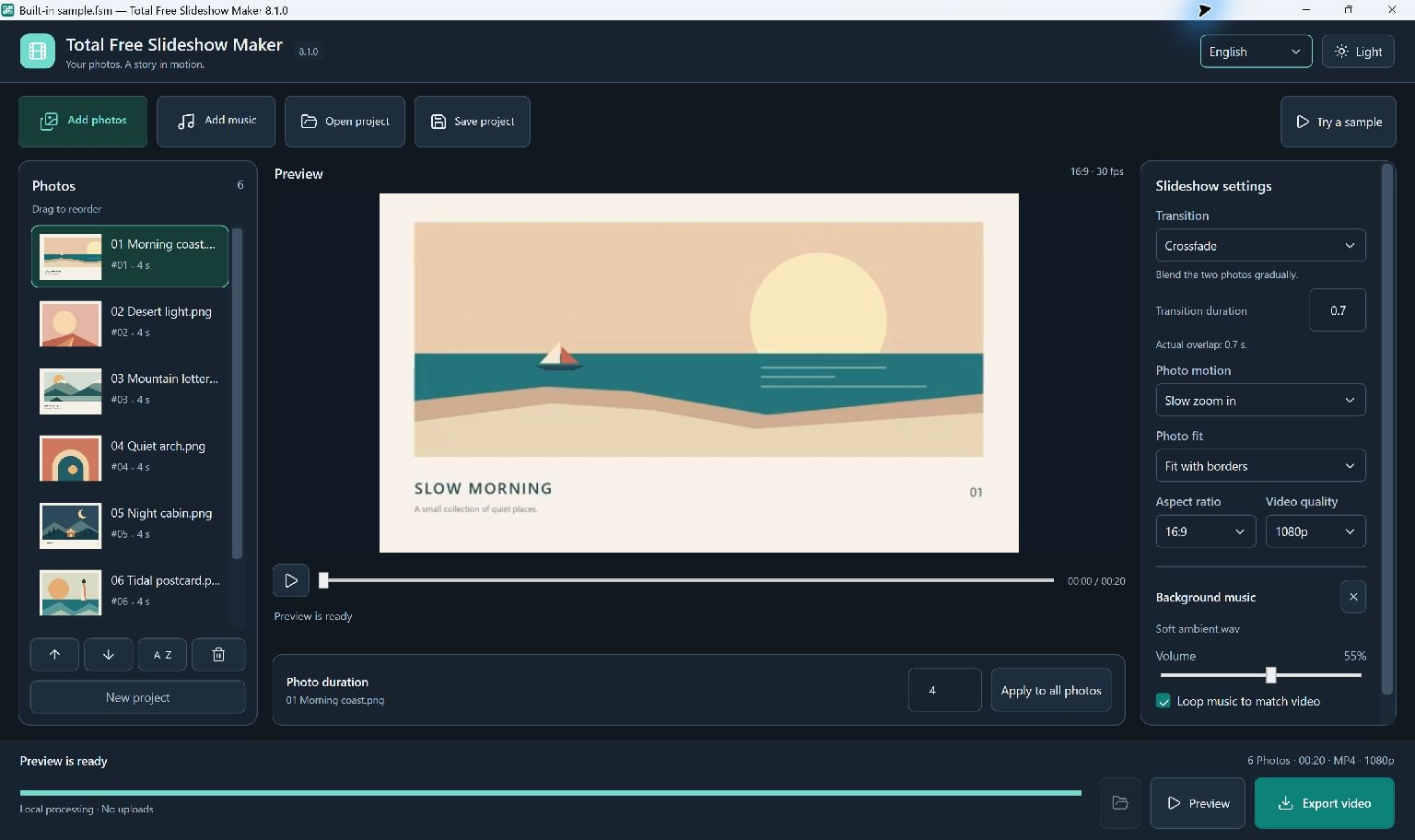
Step 1. Choose Your Photos
Add pictures and arrange the story.
Step 2. Add The Feeling
Choose transitions, framing and background music.
Step 3. Save Your Slideshow
Preview the story, then export an MP4.
Built Around Your Task
A Free App That Gets It Done
Tell It In Your Order
Add photos, drag them into order, and give each photo the time it needs.
Give Photos A Little Movement
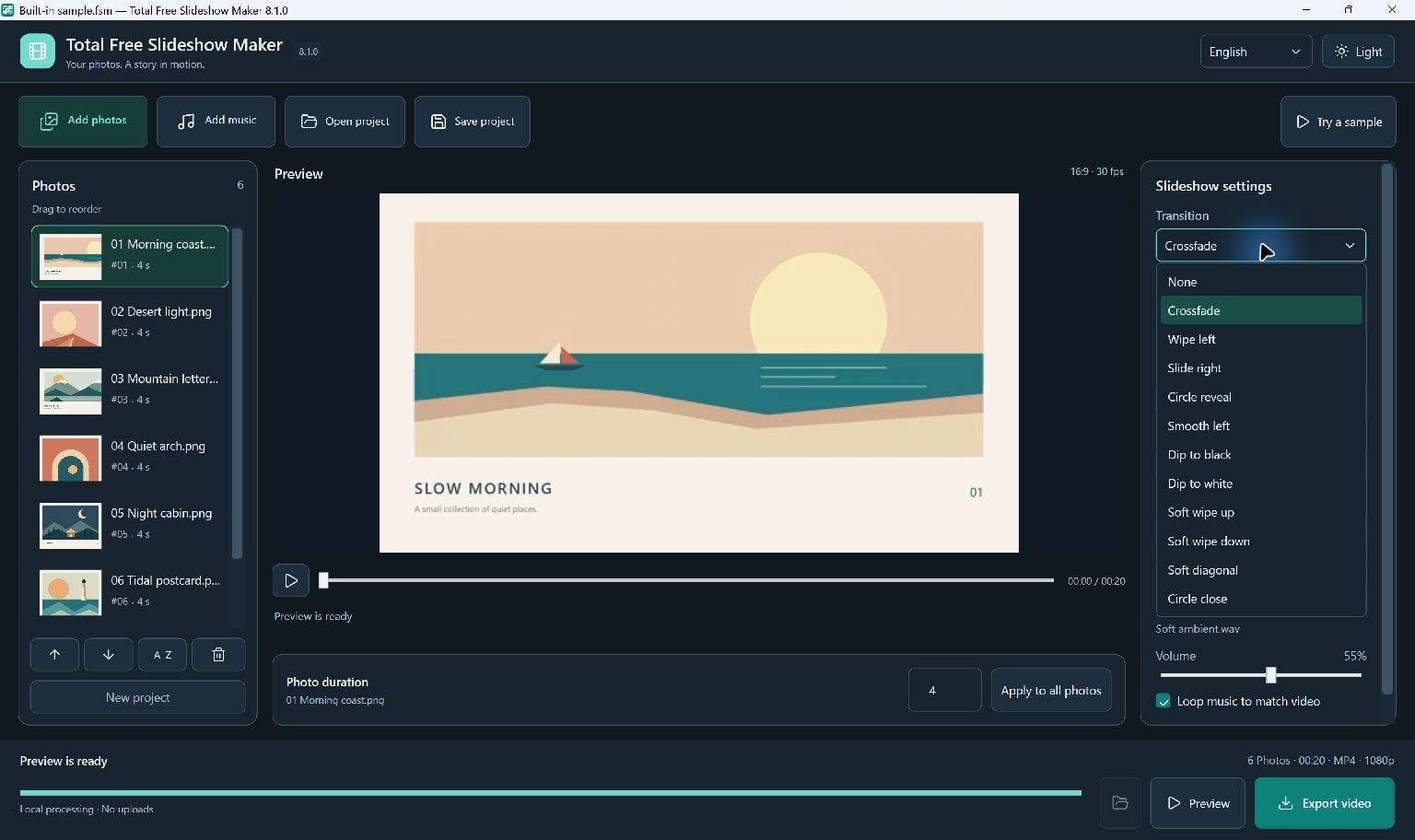
Choose gentle zoom or pan motion and a transition style for the whole slideshow.
Set The Mood With Music
Add a local soundtrack, adjust its volume, and choose looping or fade-in and fade-out.
Fit Your Favorite Screen
Choose landscape, portrait or square, with letterbox, fill-and-crop or blurred-background framing.
Preview Before You Export
Generate a real video preview to check the timing, transitions and music together.
Save A Video To Share
Export an MP4 at 720p or 1080p, or save an editable project for later.
A Format For Your Next Step
From Photos To A Video You Can Share
Add your photos and music, then choose a supported video output.
Total Free Slideshow Maker
System Requirements & File Details
Windows 10 version 2004 or later, or Windows 11 · x64.
Included
Photo handling, preview generation, music mixing and video export run locally. No first-use media-engine download is required.
SHA-256
8ea9d098527db88fd57e674e20c44007646f6b739c50f9ab9fd65962116c2191
100% Free to UseAll Features IncludedNo Payment. No Registration.
Digitally Signed Windows Setup
View All Free DownloadsGet More From Your Software
A Little Help To Get Started
How To Make A Slideshow With Music
Add photos, choose transitions and music, preview your story, and export an MP4 with Total Free Slideshow Maker.
Read The GuideMake A Photo Story To Share Online
The current slideshow maker exports MP4, not HTML web albums. Turn photos and music into a video you can upload to your chosen sharing service.
Read The GuideA Few Helpful Answers
Questions, Answered
Is Total Free Slideshow Maker free?
Yes. The current Windows edition is free to download and use for making supported photo slideshows.
Can I make a slideshow with music?
Yes. Add a local MP3, WAV, M4A, AAC, FLAC, OGG or WMA file, adjust its volume, and choose looping or music fades.
Which photo formats can I add?
The app supports JPG, JPEG, PNG, BMP, TIF, TIFF and WebP images. Add multiple photos at once or drag them into the photo area.
Can I make a vertical slideshow?
Yes. Choose 9:16 portrait for a vertical video, 16:9 for landscape or 1:1 for square.
What format does it export?
It exports MP4 with H.264 video and AAC audio at 30 frames per second. Choose 720p or 1080p output height; the width follows the selected aspect ratio.
Can I edit the slideshow again later?
Yes. Save an .fsm.json project. It stores your settings and paths to the photos and music, so keep the project and its media together when moving or backing them up.
Does it need a separate .NET or FFmpeg install?
No. The delivered Windows x64 package includes its .NET runtime and FFmpeg tools.
Can it create a web photo album?
The current edition creates MP4 photo slideshows. It does not export an HTML web album. You can upload the exported video to a sharing service you choose.
Your Next Project Starts Here
Download the free Windows app and make something worth keeping.
Download Free100% Free to UseAll Features IncludedNo Payment. No Registration.
Windows 11 & 10 · 64-bit