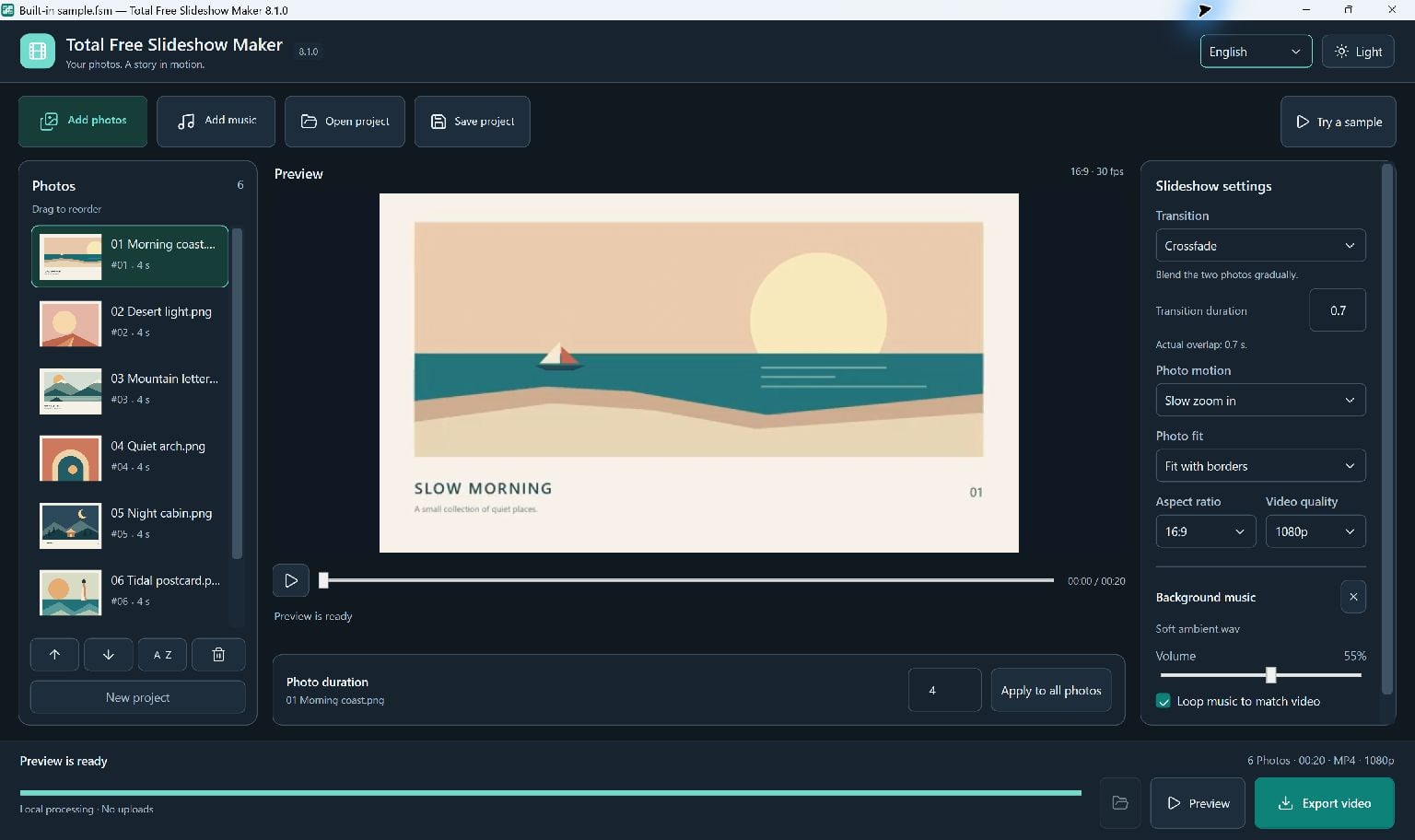
Create an MP4 slideshow here, then upload the finished video to your chosen website or sharing service.
From Web Album To Video Story
Total Free Slideshow Maker turns photos and music into an MP4 video. Use your website or a photo-sharing service to present a gallery of individual photos.
An MP4 can be uploaded to a video-sharing service or inserted into a website using that platform's own tools. Hosting and gallery navigation are handled by the service you choose.
Prepare The Slideshow
Add photos, arrange them in order and choose each photo's duration. Add local music if you want a soundtrack.
Choose a ratio for the destination: landscape, portrait or square. Check the sharing service's file requirements before committing to a long export.
- Add and arrange the photos.
- Choose framing, transitions and a soundtrack.
- Generate a preview and check the crop of important details.
Export Before Uploading
Export an MP4 at your selected quality. Open it locally to check picture, music and duration before uploading.
Keep your .fsm.json project and its photo and music files together. You can return to the project when you need a different ratio or a revised ending.
Keep Going
More Slideshow Maker Guides · Explore Total Free Slideshow Maker · Get Help