Total Free Audio Converter Free Full Version
Free Audio Converter For Windows
Put your music and recordings in the format you need, or turn a video's soundtrack into an audio file.
- Convert MP3, WAV And FLAC
- Batch Convert Your Audio
- Extract Sound From Videos
- Choose Quality And File Size
- Free Windows Download
100% Free to UseAll Features IncludedNo Payment. No Registration.
Version 8.2.0 · 2.18 MB · Windows 11 & 10, 64-bit
Make Something Worth Keeping
Easy From The First File
Step 1. Add Your Files
Choose audio files or a video's soundtrack.
Step 2. Pick A Format
Choose MP3, WAV, FLAC or another preset.
Step 3. Convert And Keep
Set a folder and start the conversion.
Built Around Your Task
A Free App That Gets It Done
Choose The Format You Need
Convert supported audio to MP3, WAV, FLAC, M4A, AAC, OGG, WMA, Opus and other available presets.
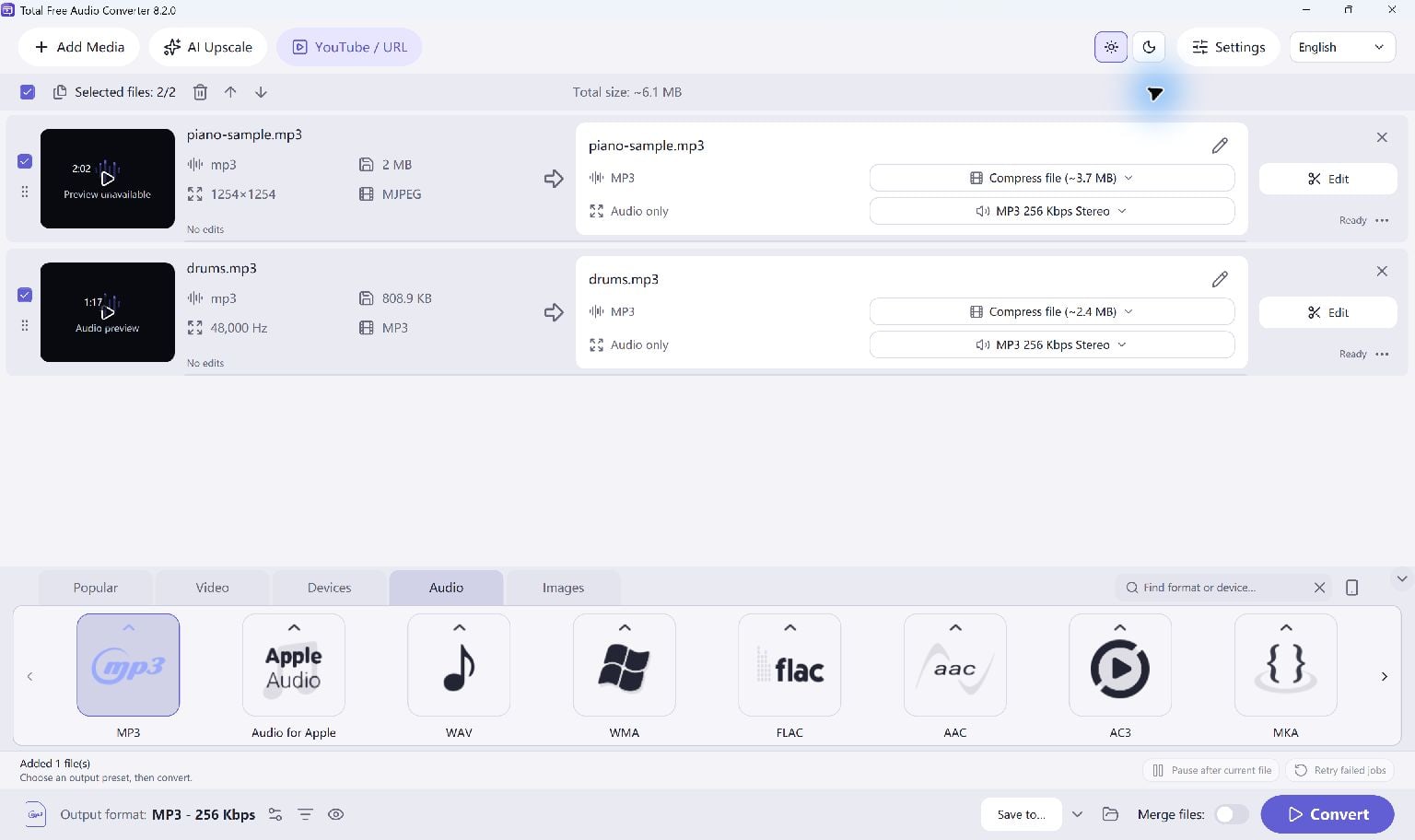
Convert A Whole Queue
Add multiple files, choose an output preset, and process the queue in order.
Save Just The Soundtrack
Add a supported video and choose an audio output to create a separate soundtrack file.
Keep The Audio You Want
Trim recordings or select multiple keep ranges before conversion.
Fine-Tune Your Output
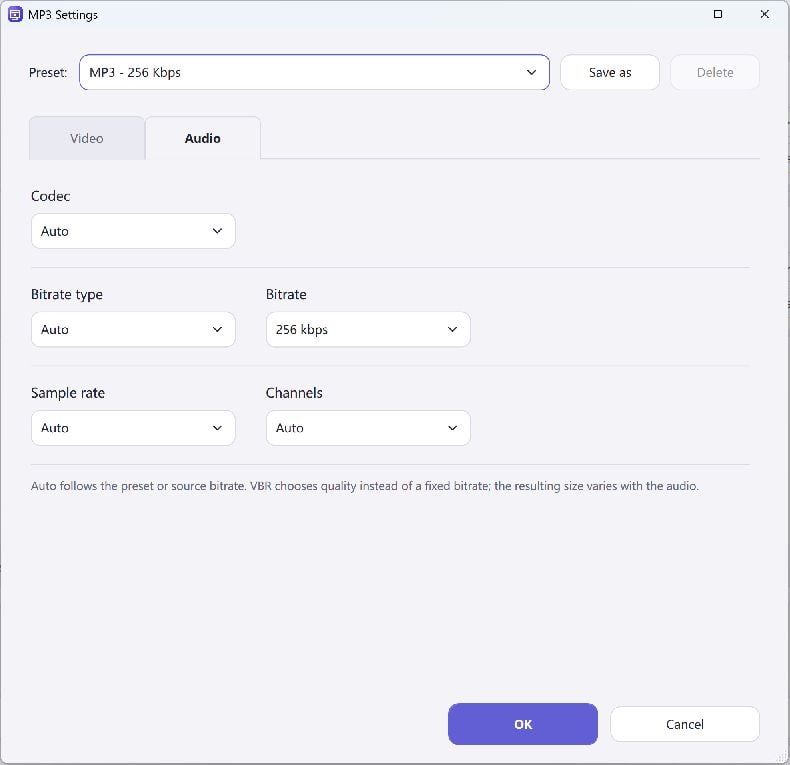
Adjust output quality and audio settings, with volume, normalization and noise-reduction options.
Pick Up Where You Left Off
Save projects, reuse presets, and find completed work in conversion history.
A Format For Your Next Step
Work With The Files You Already Have
Choose a supported output for your player, project or next edit.
Total Free Audio Converter
System Requirements & File Details
Windows 10 version 2004 (build 19041), or Windows 11 · x64.
Microsoft .NET Desktop Runtime 8 x64 is required. If missing, Setup asks before downloading and installing the official runtime.
Local conversion runs on the PC. Internet access is required for missing runtime installation, online sources, component updates, and an AI model download if that optional tool is used.
SHA-256
5c7b6b47ff1ad4b3eb65452bf25b617921ec18cdbcf32268dc0e31af05c2df39
100% Free to UseAll Features IncludedNo Payment. No Registration.
Digitally Signed Windows Setup
View All Free DownloadsGet More From Your Software
A Little Help To Get Started
How To Convert Audio Files
Convert supported audio to MP3, WAV, FLAC, M4A and other formats with Total Free Audio Converter for Windows.
Read The GuideHow To Convert WMA To MP3
Make MP3 copies of supported WMA recordings using Total Free Audio Converter on Windows.
Read The GuideHow To Convert FLAC To MP3 On Windows
Convert FLAC to MP3 for free on Windows. Add one track or a batch, choose MP3 quality, and save listening copies with Total Free Audio Converter.
Read The GuideHow To Convert M4A To MP3 On Windows
Make MP3 copies of supported M4A audio for free on Windows. Choose an output preset, batch convert, and check the results with Total Free Audio Converter.
Read The GuideHow To Convert MP4 To MP3 On Windows
Extract MP3 audio from supported MP4 videos for free on Windows. Select an audio preset and save the soundtrack with Total Free Audio Converter.
Read The GuideA Few Helpful Answers
Questions, Answered
Is Total Free Audio Converter free?
Yes. The current Total Free Audio Converter is a free Windows download for its supported media-conversion tools.
Can I convert FLAC to MP3?
Yes. Add your FLAC files, choose an MP3 output preset, select a destination and start converting. MP3 creates a compressed copy; keep the FLAC originals if you need the original lossless audio.
Can I convert WMA to MP3?
Yes. Supported WMA files can be added to the queue and converted using an MP3 preset. Protected or damaged source files may not be readable.
Can it extract audio from MP4?
Yes. Add a supported MP4 video with an audio track and choose an audio output such as MP3, WAV or FLAC.
Can I convert several files together?
Yes. Add multiple audio or video files to the queue and choose their output settings before starting the batch.
What do I need to install it?
A 64-bit Windows 10 version 2004 or later, or Windows 11 PC, and Microsoft .NET Desktop Runtime 8 x64. Setup asks to download the official runtime if it is missing.
Your Next Project Starts Here
Download the free Windows app and make something worth keeping.
Download Free100% Free to UseAll Features IncludedNo Payment. No Registration.
Windows 11 & 10 · 64-bit