Total Free Video Converter Free Full Version
Free Video Converter For Windows
Make videos easier to play and share: choose a format, trim the parts you need, and convert on your PC.
- Convert MP4, AVI And MKV
- Trim, Crop And Rotate
- Resize For Different Screens
- Batch Convert Your Videos
- Free Windows Download
100% Free to UseAll Features IncludedNo Payment. No Registration.
Version 8.2.0 · 2.18 MB · Windows 11 & 10, 64-bit
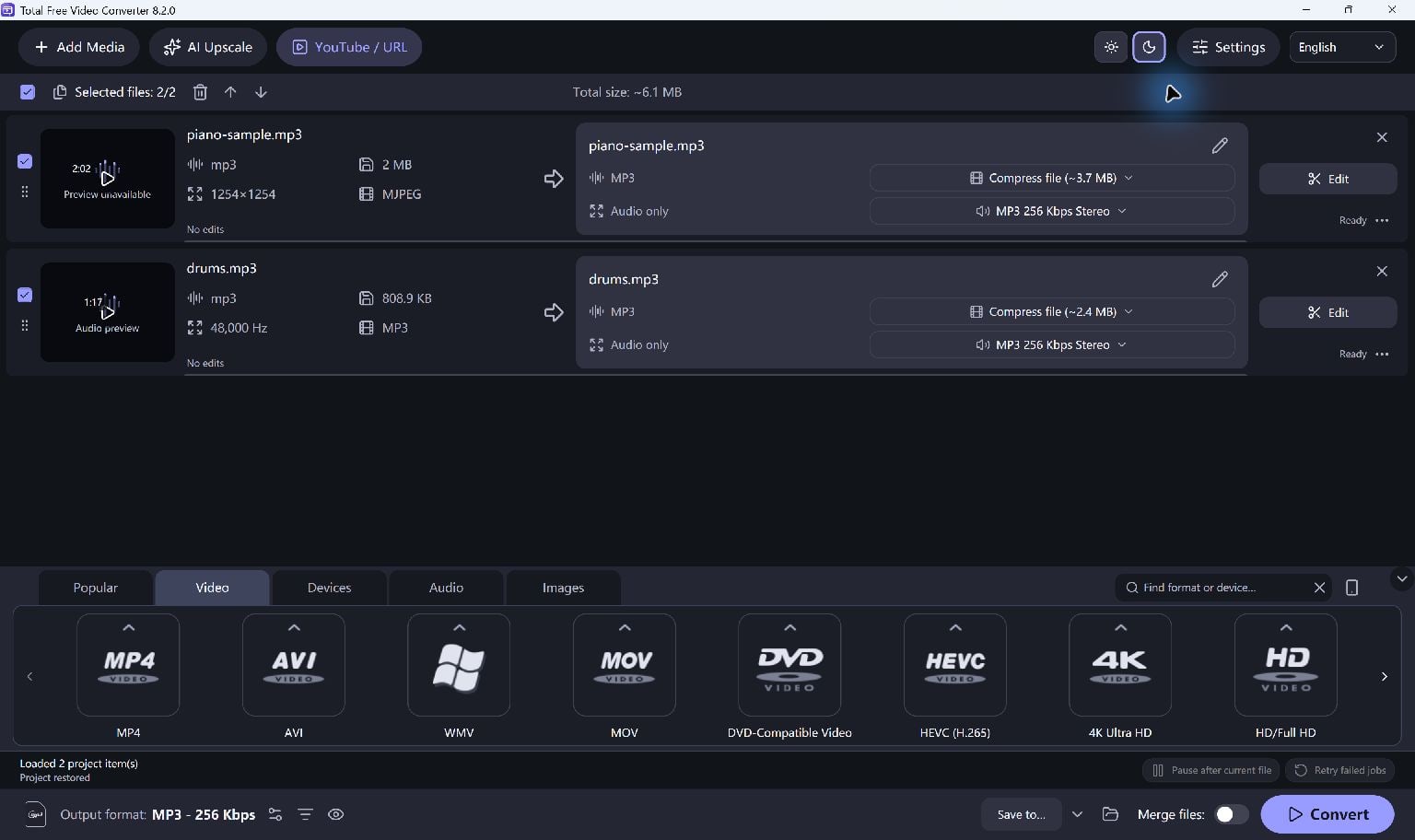
Make Something Worth Keeping
Easy From The First File
Step 1. Add A Video
Choose one clip or build a conversion queue.
Step 2. Make It Yours
Pick a format and trim or resize.
Step 3. Convert And Share
Save the finished video to your chosen folder.
Built Around Your Task
A Free App That Gets It Done
Get A Video That Plays
Choose MP4, AVI, MKV, MOV, WebM, WMV or another available output preset.
Keep Only The Good Parts
Trim the timeline or use multiple keep ranges, then export the parts you want.
Fit A Different Screen
Crop, rotate, flip or change output dimensions, with portrait and landscape aspect options.
Balance Size And Quality
Adjust encoding quality, bitrate or a target file size. Preview a sample before running a longer job.
Convert More In One Queue
Batch process files or join compatible clips in the order you choose.
Add The Finishing Details
Choose audio tracks and subtitles or add text and image watermarks before conversion.
A Format For Your Next Step
Work With The Files You Already Have
Choose a supported output for your player, project or next edit.
Total Free Video Converter
System Requirements & File Details
Windows 10 version 2004 (build 19041), or Windows 11 · x64.
Microsoft .NET Desktop Runtime 8 x64 required; Setup asks to download it if missing.
Local conversion runs on the PC. Missing runtime installation, online imports, module updates and first-use optional AI models require internet.
SHA-256
801973d2237a9a262d1bff832285bab5f3ed6b1fafbc5fa6c9e61a668de86ba6
100% Free to UseAll Features IncludedNo Payment. No Registration.
Digitally Signed Windows Setup
View All Free DownloadsGet More From Your Software
A Little Help To Get Started
A Few Helpful Answers
Questions, Answered
Is Total Free Video Converter free?
Yes. The current Total Free Video Converter is a free Windows download for its supported conversion and editing tools.
Can I convert AVI or MKV to MP4?
Yes. Add a supported AVI or MKV source, select an MP4 preset, choose the output folder and start converting. The source's actual codecs must be readable.
Can I make a video file smaller?
Yes. You can adjust output dimensions, encoding quality or bitrate, or use target-size controls. File size and visual quality depend on the video and settings; encoding to a smaller file may reduce quality.
Can I trim or crop before converting?
Yes. The editor provides trim ranges, visual crop, rotation and flip controls. Your chosen edits are applied during conversion.
Does it support GPU encoding?
Hardware encoding is available where supported by the PC and the chosen codec. The application checks specific encoders and uses software when a suitable hardware path is unavailable.
Can I keep only the audio from a video?
Yes. Select an audio output such as MP3, WAV or FLAC for a supported video that contains an audio stream.
Which Windows versions are supported?
Use Windows 10 version 2004 or later, or Windows 11, on a 64-bit PC. Microsoft .NET Desktop Runtime 8 x64 is required; Setup can download the official runtime after asking.
Your Next Project Starts Here
Download the free Windows app and make something worth keeping.
Download Free100% Free to UseAll Features IncludedNo Payment. No Registration.
Windows 11 & 10 · 64-bit