Total Free YouTube Downloader Free Full Version
Free YouTube Downloader For Windows
Choose an available video quality, then download and convert videos you own or have permission to save.
- Choose Available Source Quality
- Save Video Or Audio
- Queue Supported Playlist Items
- Convert On Your Windows PC
- Free Windows Download
100% Free to UseAll Features IncludedNo Payment. No Registration.
Version 8.1.0 · 2.16 MB · Windows 11 & 10, 64-bit
Make Something Worth Keeping
Easy From The First File
Step 1. Paste Your Link
Read formats and choose an available source.
Step 2. Pick Your Output
Add the job and choose video or audio.
Step 3. Download And Convert
Start Convert and find your finished file.
Built Around Your Task
A Free App That Gets It Done
Choose The Source You Want
Paste a supported link, read its available formats, and choose the source quality and audio track.
Make A File You Can Use
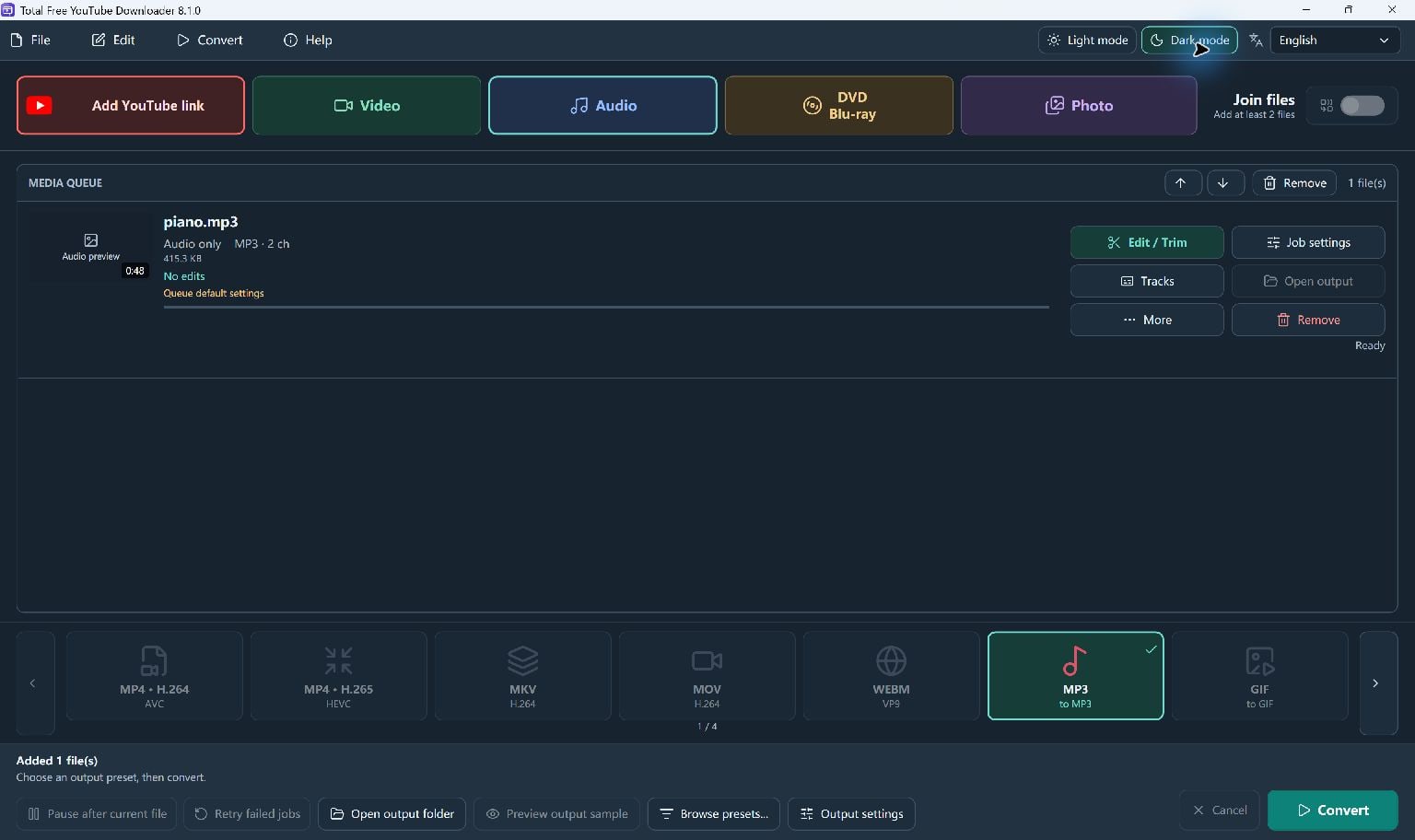
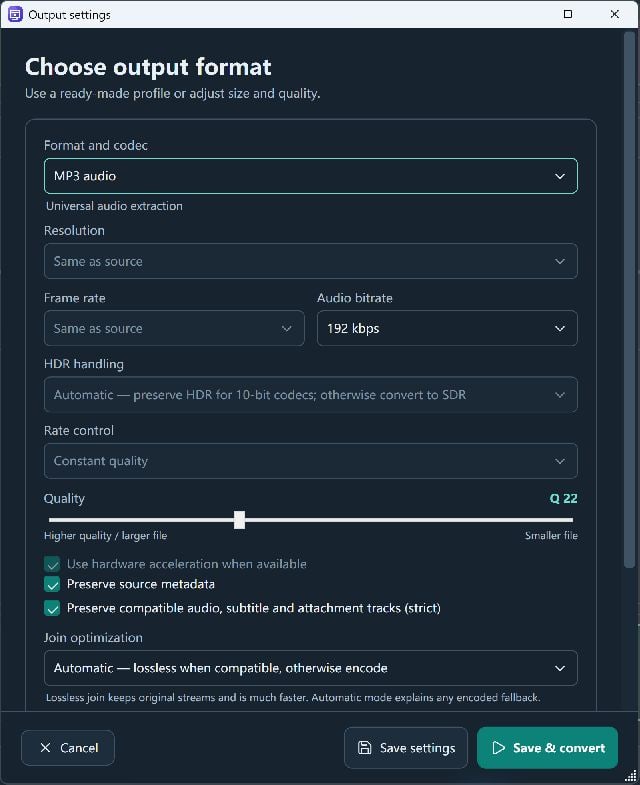
Choose a video or audio output preset on the main screen, including MP4 or MP3.
Keep Downloads In Order
Add supported sources to a queue. Downloads begin when you start Convert, followed by conversion.
Work Through A Playlist
Enable playlist expansion to add available videos as separate jobs, up to 100 items per lookup.
Retry With A Current Module
Use the download-module update and retry tools when a supported website changes.
Edit After The Source Downloads
Trim or convert downloaded sources locally using the included media tools.
A Format For Your Next Step
Work With The Files You Already Have
Choose a supported output for your player, project or next edit.
Total Free YouTube Downloader
System Requirements & File Details
Windows 10 version 2004 (build 19041), or Windows 11 · x64.
Microsoft .NET Desktop Runtime 8 x64 required; Setup asks to download the official runtime if missing.
Required for online source information, thumbnails, downloads and module updates. Local conversion can use files already on the PC.
SHA-256
aef51c6f72ef228f6faa595602a6d71e17ace1b808abfad931f6be1a47fb55d4
100% Free to UseAll Features IncludedNo Payment. No Registration.
Digitally Signed Windows Setup
View All Free DownloadsGet More From Your Software
A Little Help To Get Started
How To Download A Permitted YouTube Video
Read available source formats, queue a permitted YouTube video, and save a converted file using Total Free YouTube Downloader.
Read The GuideHow To Convert YouTube Video Or Audio
Understand source format versus output preset, then convert permitted online media to MP4, MP3 or another available format.
Read The GuideA Few Helpful Answers
Questions, Answered
Is Total Free YouTube Downloader free?
Yes. The current Windows edition is free to download for its supported online-source and media-conversion tools.
How do I save a video as MP4?
Paste a supported video link, read its formats, choose the source and add it to the queue. Choose an MP4 output preset on the main screen and start Convert.
Can I save just the audio?
Yes. Choose an audio source when available, then choose an audio output such as MP3. Download only media you own or have permission to save.
Can it download playlists?
Supported playlists can be expanded by selecting the playlist checkbox. The app adds up to 100 available entries per lookup; unavailable entries are skipped with a message.
Why are there separate source and output formats?
The source format chooses the video or audio stream to retrieve. The output preset on the main screen decides the final saved file. For example, you can choose an available source and convert it to an MP4 output.
Why did a download stop working?
Websites can change their formats or access requirements. Check the error details, use the Help menu's download-module update, then retry. Private, unavailable or protected media may remain inaccessible.
Can it download private or protected videos?
It does not bypass DRM, subscriptions, logins or access controls. It does not read your browser cookies or saved logins. Use it only for media you own or are permitted to download.
Which Windows version do I need?
Use a 64-bit Windows 10 version 2004 or later, or Windows 11 PC. Microsoft .NET Desktop Runtime 8 x64 is required. Internet access is needed for online sources and downloads.
Your Next Project Starts Here
Download the free Windows app and make something worth keeping.
Download Free100% Free to UseAll Features IncludedNo Payment. No Registration.
Windows 11 & 10 · 64-bit